
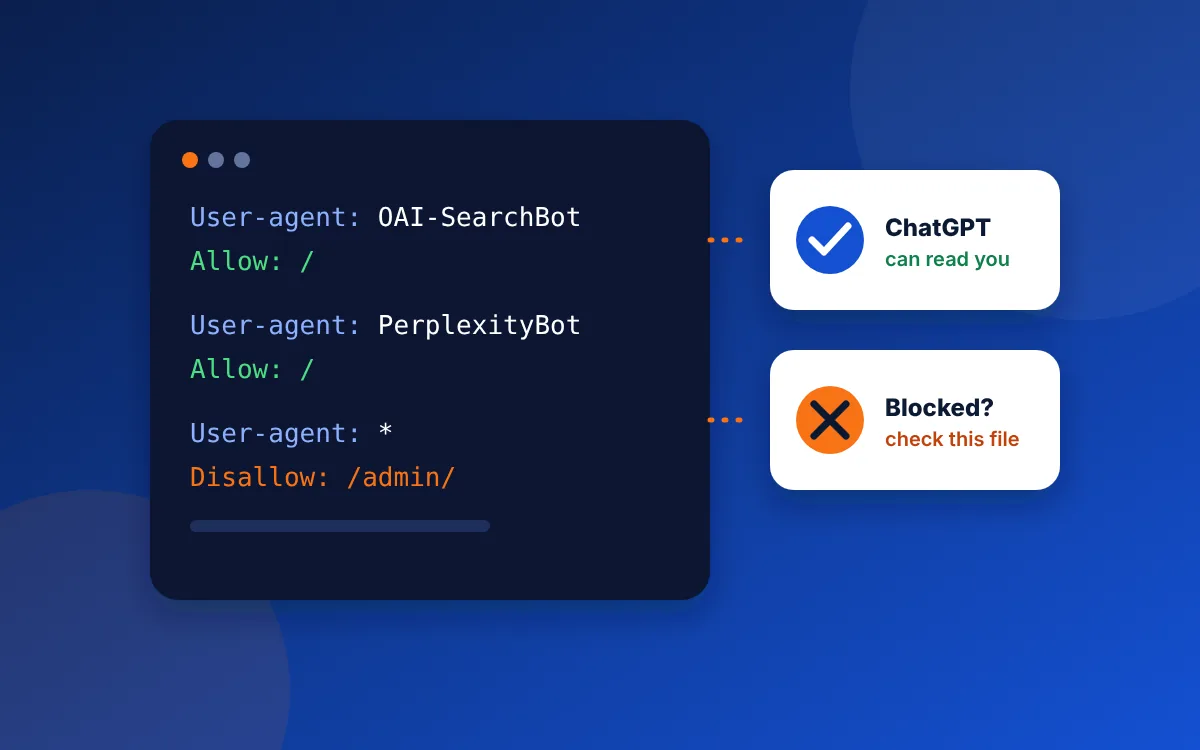
Open yourdomain.com/robots.txt in a browser. If you see Disallow: / under GPTBot, OAI-SearchBot, PerplexityBot, Bingbot or under User-agent: *, some AI tools are being told to stay out. Remove those lines for the crawlers that power search answers, and check your host's bot settings too.
Why this matters for a local contractor
When a homeowner asks ChatGPT "who's a good emergency plumber near me?", the answer is built from pages its search crawler has been allowed to read. The same goes for Perplexity, Microsoft Copilot and Google's AI Overviews. A site that turns those crawlers away gives them nothing to quote, so they quote your competitors.
This happens by accident more often than you'd think. In our October 2026 audits of 20 home service websites in the Tulsa area, 9 refused requests from at least one AI crawler, usually through a hosting or security setting the owner had never seen. One site's robots.txt blocked Googlebot and Bingbot as well, which hides it from regular search too.
Which crawlers to know
Each AI company runs more than one crawler. Some collect training data, and some fetch pages for live answers. You can treat them differently.
| Crawler | Company | What it does |
|---|---|---|
OAI-SearchBot | OpenAI | Finds pages to show in ChatGPT search answers |
ChatGPT-User | OpenAI | Visits a page when a ChatGPT user asks about it |
GPTBot | OpenAI | Collects pages to train OpenAI's models |
PerplexityBot | Perplexity | Indexes pages for Perplexity answers |
Bingbot | Microsoft | Bing search, which also feeds Copilot |
Googlebot | Google Search, including AI Overviews | |
Google-Extended | A setting for Gemini model use. Blocking it doesn't remove you from Search or AI Overviews | |
ClaudeBot | Anthropic | Collects pages for Anthropic's Claude models |
For a business that wants customers, the ones that matter most are the search crawlers: OAI-SearchBot, ChatGPT-User, PerplexityBot, Bingbot and Googlebot. Blocking the training crawlers is a business choice, and it won't hurt your chances in search answers.
How to check your site in two minutes
- Type your web address followed by
/robots.txtinto a browser, for exampleyourbusiness.com/robots.txt. - Look for a
User-agentline naming any crawler in the table above, followed byDisallow: /. That means "stay out of the whole site." - Check the
User-agent: *group too. ADisallow: /there blocks every crawler that isn't named elsewhere. - If the file is empty, missing or only blocks admin folders like
/wp-admin/, robots.txt isn't your problem.
The block you can't see in robots.txt
Some hosts and security services block AI crawlers at the server, before robots.txt is ever read. Cloudflare, for example, began blocking known AI crawlers by default for new sites in July 2025, and it can also add its own rules to your robots.txt. If your site sits behind Cloudflare, open its security or bot settings and look for an option about AI crawlers. WordPress security plugins can do the same thing.
A free audit checks this from the outside: we request your pages the way each crawler does and report which ones get turned away.
A robots.txt you can copy
This version lets search and AI answer crawlers in, keeps them out of a WordPress admin area and points them to your sitemap. Replace the address with yours.
User-agent: *
Disallow: /wp-admin/
Allow: /wp-admin/admin-ajax.php

User-agent: OAI-SearchBot
Allow: /

User-agent: ChatGPT-User
Allow: /

User-agent: PerplexityBot
Allow: /

Sitemap: https://www.yourbusiness.com/sitemap.xml
If you'd rather keep your content out of AI training, add a group for GPTBot with Disallow: /. Search answers will still be able to find you through the crawlers above.
Common questions
Will blocking GPTBot stop ChatGPT from recommending my business?
Blocking GPTBot alone won't stop ChatGPT recommending you, because GPTBot collects training data. ChatGPT search relies on OAI-SearchBot and ChatGPT-User, so as long as those can read your site, you can still appear in ChatGPT's search answers.
Does blocking Google-Extended remove me from AI Overviews?
Blocking Google-Extended does not remove you from AI Overviews; Google says AI Overviews in Search use the normal Googlebot crawl. Google-Extended only controls whether your content is used for Gemini models.
How long until AI tools see my site after I unblock them?
AI tools see an unblocked site when each crawler next visits. Search crawlers usually return within days to a few weeks. Submitting your sitemap in Google Search Console and Bing Webmaster Tools helps.
Not sure what's blocking you?
The free audit tests your site against every major search and AI crawler and tells you exactly what to change.
Get my free audit